
Message-Based Integration Option
How to use Knova without changing your systems. Knova can be used via API, MCP, embedded UI or message-based integrations.
Works with the standards you already use
Many of your systems speak financial messaging standards rather than REST. Knova carries messaging information in any standard alongside a Knova transaction. For example, ISO 20022 or SWIFT MT equivalents can travel with the transaction.
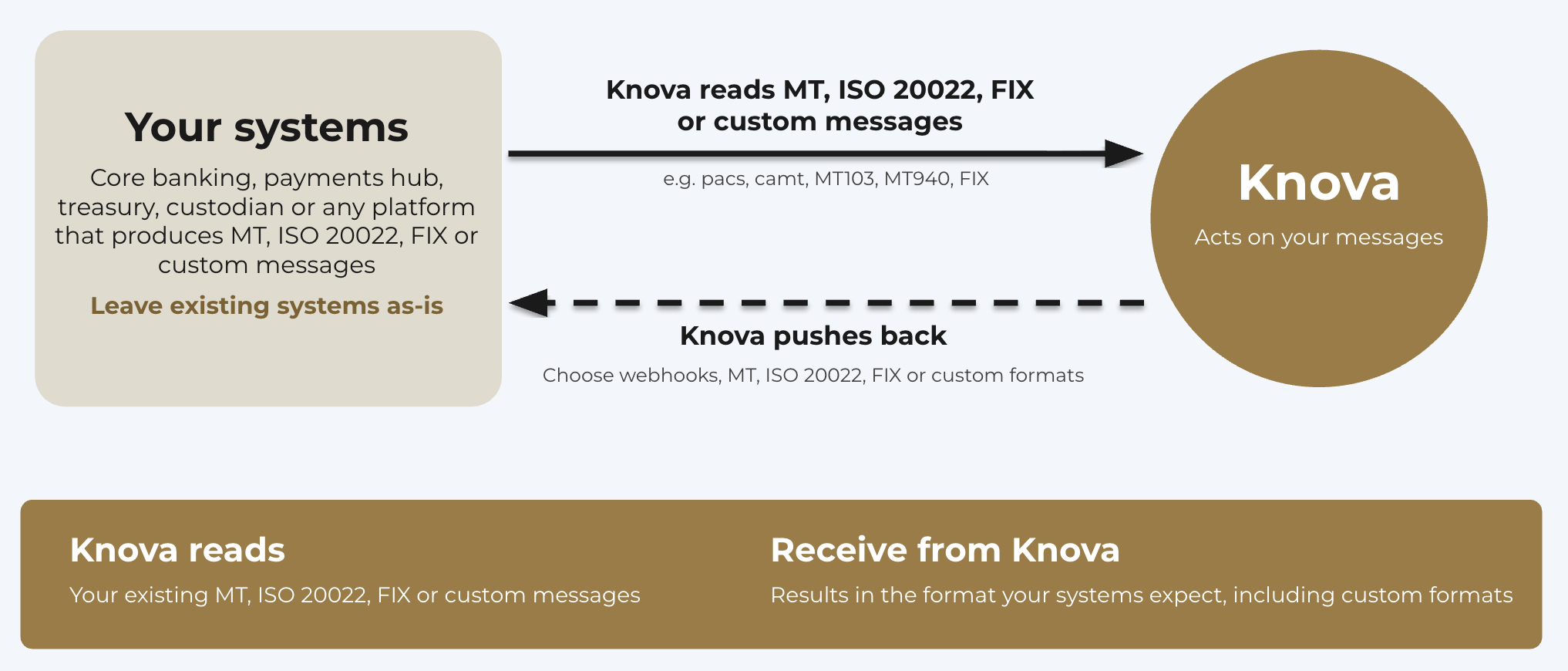
- Adapters. Knova's event-driven architecture supports adapters that translate back and forth between standards such as ISO 20022, SWIFT MT, FIX or custom messages. All fields of a Knova transaction are available for mapping.
- Mapping-friendly data. Knova uses UETRs (UUIDv4), ISO dates and ISO currency codes internally, so fields map cleanly to ISO 20022, MT, FIX and custom message layouts.
- Existing interfaces. Adapters can act as on-ramps and off-ramps to the messaging products and gateways your institution already uses, including SWIFT and FIX gateways, over MQ, file-based interfaces, REST or FIX sessions.
How it works
- Choose what Knova reads. Pick the messages your systems already produce, for example ISO 20022
pacsandcamt, MT103 and MT940, or FIX execution reports. - Map the fields. Every field of a Knova transaction is available for mapping, so you decide which message fields land where.
- Choose how results come back. Receive them as webhooks, MT or ISO 20022 messages, FIX, or a custom format.
Supported messages
| Standard | Examples |
|---|---|
| ISO 20022 | pacs.008, pacs.002, camt.052, camt.053, pain.001 |
| SWIFT MT | MT103, MT202, MT940, MT950 |
| FIX | New Order Single (D), Execution Report (8), Allocation Instruction (J), Confirmation (AK) |
| Custom | Your own message layout, mapped to Knova transaction fields |
Need a message type that isn't listed? Tell us. Adapters for new message types are added on request.
Example: a filled order over FIX
Your broker sends an Execution Report (simplified, with | standing in for the field separator):
8=FIX.4.4|35=8|37=ORD-8841|11=CL-20261015-01|17=EX-5532|150=F|39=2|
55=USYC|48=US0000000000|22=4|54=1|32=250000|31=1.0842|15=USD|
60=20261015-14:32:07|10=123
Knova reads it and maps the fields to a transaction. This mapping is illustrative.
| FIX tag | Knova transaction |
|---|---|
11 ClOrdID, 37 OrderID, 17 ExecID | External references |
55 Symbol, 48 ISIN | Asset |
54 Side | Direction |
Updated about 7 hours ago
Did this page help you?